Trace every LangGraph run
Get full visibility into every node, edge, and tool call in your LangGraph workflow. See exactly what happened at each step and why.
LangGraph gives you the control to build stateful, complex agent workflows. LangSmith gives you the visibility, testing, and production feedback loop to ship them with confidence.
Get started free. No credit card required.
.svg)


Building the agent is only the beginning
LangGraph gives your team the primitives to build flexible, stateful agent workflows with full control over branching, memory, and multi-agent coordination. But once your agent is in production, you need tracing to understand failures, evaluations to test changes safely, monitoring to catch regressions, and a continuous improvement loop. That is where LangSmith comes in.
Observe, evaluate, and deploy agents with LangSmith. LangSmith is framework-agnostic: trace your preferred framework or integrate LangSmith with any agent stack using our Python, TypeScript, Go, or Java SDKs.
Surface and diagnose undetected issues autonomously to improve agents faster. LangSmith Engine clusters production failures into prioritized issues, finds the root cause in your traces and code, and proposes the fix for your review.
Read the announcement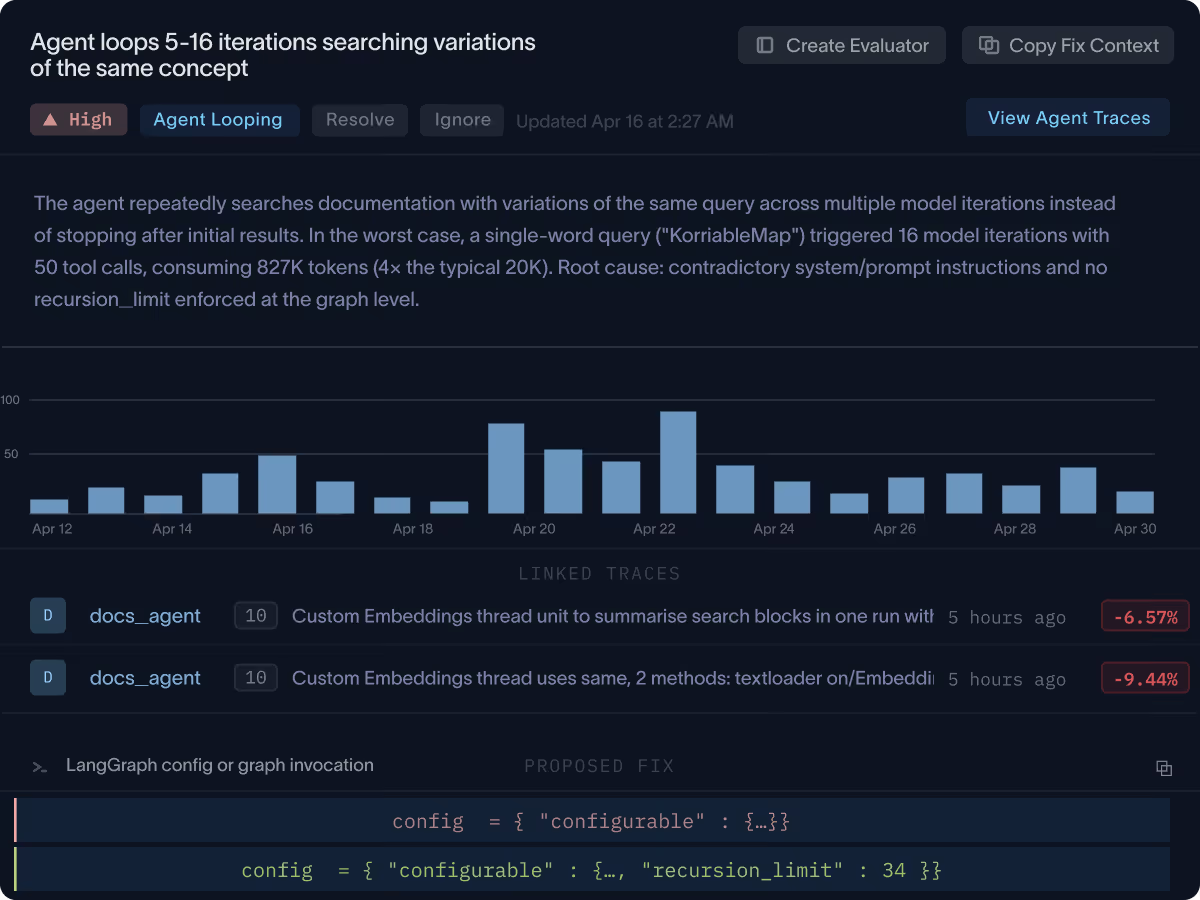
Get full visibility into every node, edge, and tool call in your LangGraph workflow. See exactly what happened at each step and why.

Pinpoint failures in multi-step, branching workflows without guesswork. Replay traces, inspect state, and understand what went wrong.

Run offline evaluations against datasets before you deploy. Catch regressions, measure improvements, and ship with confidence.

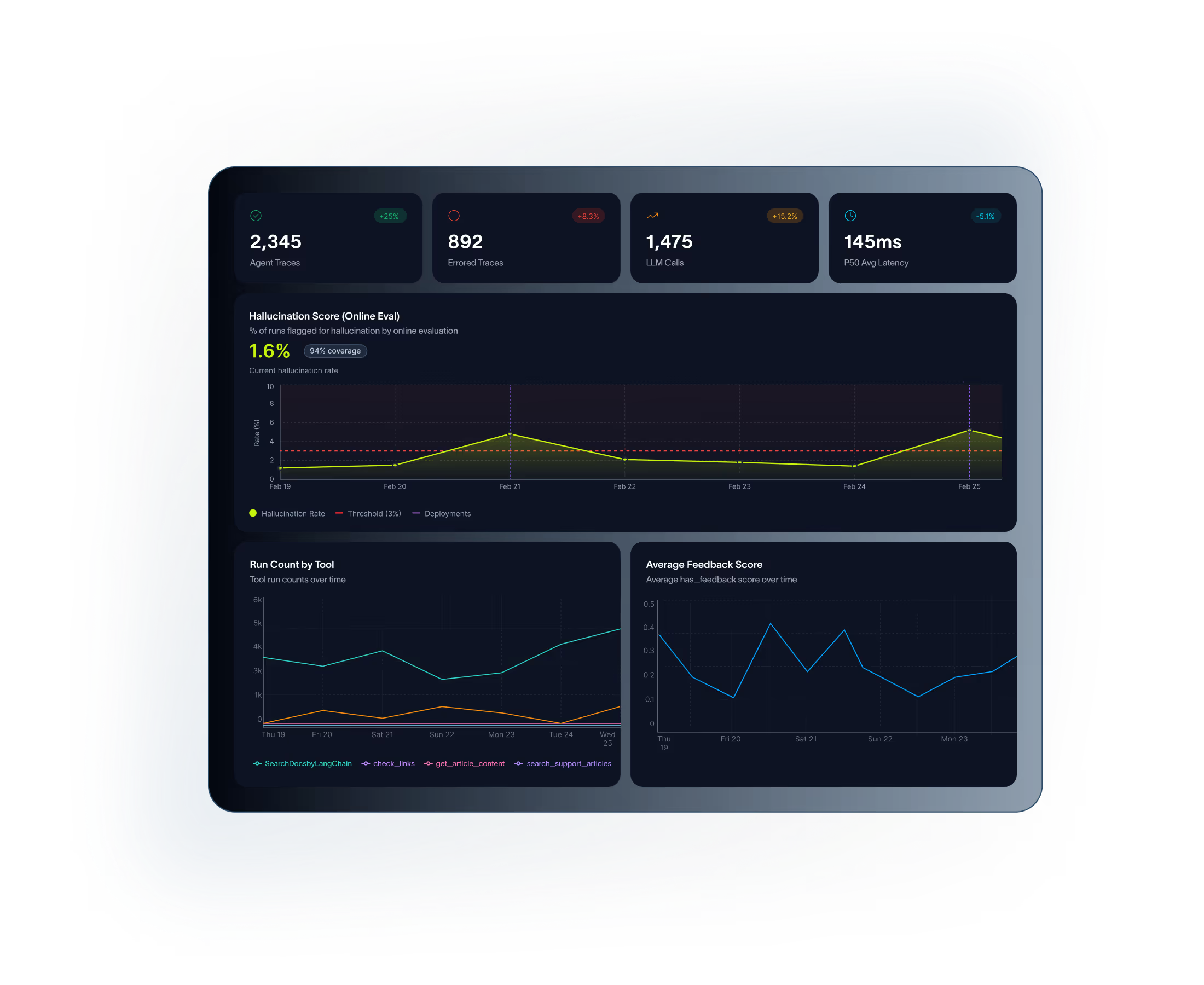
Track quality metrics, latency, and cost across all your LangGraph agents in real time. Get alerts before issues become outages.

Annotate production traces, build evaluation datasets from real traffic, and close the loop between what users experience and what you ship next.
Full agent development lifecycle
From your first prototype to a production system handling thousands of users, LangGraph and LangSmith support the full lifecycle.
Design controllable, stateful agent workflows in LangGraph. Use nodes, edges, and state to model exactly how your agent should reason and act.
Use LangSmith to run evaluations against curated datasets. Catch regressions and validate improvements before they reach users.
Deploy your LangGraph agent to production with LangSmith Deployment. Built-in support for long-running agents, human-in-the-loop, and stateful sessions.
Track quality, latency, and cost across every production run. Surface anomalies and regressions with online evaluations and alerting.
Use production traces as a feedback loop. Annotate failures, build new test cases, update prompts and graph logic, then re-evaluate and ship with confidence.
Built for LangGraph complexity
LangSmith is designed to handle the complexity that comes with real-world LangGraph agents.

Trace agents that take different paths based on state, model output, or external signals. Understand which branch ran and why.
Inspect how agent state evolves step by step across your graph. Compare state before and after each node to diagnose unexpected behavior.
See every tool call your agent makes, the inputs it passed, and the outputs it received. Debug third-party API failures without reading logs.

Track approval steps, interruption points, and human feedback in your LangGraph workflows. Understand how human input shapes agent decisions.
Monitor agents that run for minutes or hours. Trace interactions across multi-agent systems where one agent delegates to another.
Compare performance across agent versions side by side. Know whether a change to your graph, prompt, or tool improved outcomes before you ship it.
Define your agent as a graph with nodes, edges, and state. LangGraph gives you low-level control to model any agent architecture, from simple ReAct loops to complex multi-agent pipelines.
Add one line of instrumentation to start capturing full traces of every LangGraph run. Inspect node inputs, outputs, state transitions, and tool calls in a structured UI.
Create evaluation datasets from production traces or manually curated examples. Run automated evaluators to score agent outputs and catch regressions before they reach users.
Track quality, latency, and cost metrics across all production runs. Set up online evaluations that score live traffic automatically and alert you when performance degrades.
Use production insights to guide improvements. Annotate failures, update your graph logic or prompts, re-evaluate against your test suite, and ship with confidence.
Use LangGraph to design controllable agent workflows. Use LangSmith to debug, evaluate, monitor, and improve them in production.